
Why Gigabit Ethernet Cameras Market Power Modern Machine Vision Systems
Compact cameras are positioned strategically across a busy automobile assembly line or a high-precision electronics production floor, providing clear, real-time images to control systems that detect flaws before they become expensive issues. These are often GigE cameras industrial imaging devices that transmit high-quality video and data over standard Ethernet networks.
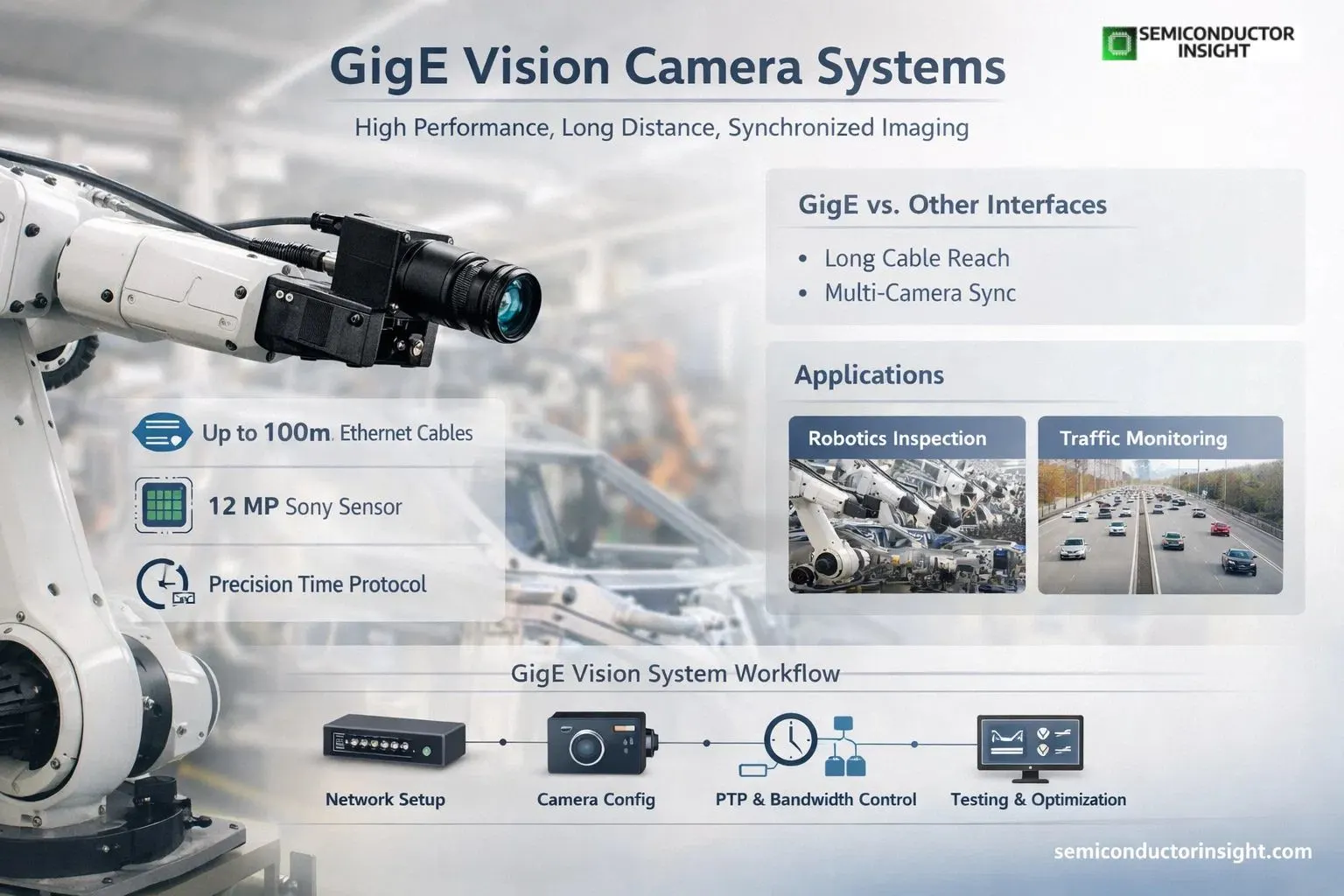
GigE Vision cameras connect using standard CAT5e or CAT6 cables, often extending up to 100 meters without signal loss or repeaters, in contrast to earlier interfaces that required specialised equipment and frame grabbers. They are a mainstay in industries, labs, and surveillance systems where adaptability and dependability are crucial due to their useful design.
In one documented case from a German automotive supplier, a team integrated multiple IDS GigE Vision cameras mounted on a robotic arm for end-of-line inspection of complex assemblies.
The system used a 12-megapixel Sony IMX226 sensor running at 10 frames per second, delivering excellent low-light performance thanks to back-side illumination technology. The setup achieved reliable defect detection across color, surface, and debris checks without needing dedicated frame grabbers, cutting hardware costs while maintaining consistent image quality even in varying factory lighting.
GigE Vs. Other Interfaces Choosing the Right Tool for the Job
- When selecting industrial cameras, teams often evaluate GigE Vision, USB3 Vision, and Camera Link based on performance, distance, and application needs.
- GigE Vision stands out primarily due to its long cable reach, supporting distances of up to 100 meters, which is significantly higher compared to USB3 Vision that typically operates within just a few meters.
- This extended range makes GigE an ideal choice for large-scale facilities, such as factory floors, warehouses, and outdoor environments where cameras need to be positioned far from the host system.
- Another major advantage of GigE is its support for multi-camera synchronization using Precision Time Protocol (PTP/IEEE 1588).
- This ensures that multiple cameras capture frames at the exact same time.
- It is especially critical in time-sensitive applications like robotics, automated inspection systems, and traffic monitoring.
- In comparison, USB3 Vision offers higher bandwidth in short-range setups, making it suitable for applications requiring fast data transfer over limited distances, such as lab environments or compact systems.
- Camera Link, on the other hand, delivers very high-speed performance, but is typically restricted to short distances and requires separate power supply systems, making it more suitable for specialized inspection setups.
Stay connected for additional in-depth information right here: https://semiconductorinsight.com/report/gige-camera-market/
Real Deployments Showing GigE Cameras in Action
In smart city and traffic applications, a 4K HDR GigE camera based on the Sony IMX678 sensor provides detailed imaging for intersection monitoring. It supports H.264/H.265 compression for efficient streaming while maintaining clarity in low light, and its rugged M12 lens mount withstands outdoor conditions. Data travels reliably over 100 meters to central control rooms, enabling real-time analysis without dedicated fiber infrastructure.
Another instance comes from high-speed sorting systems in food and logistics. Multi-camera GigE setups inspect products on fast-moving conveyors, combining wide-field overview cameras with high-resolution detail units. The Ethernet backbone allows easy scaling adding more cameras without rewiring entire networks and integrates smoothly with existing factory Ethernet switches.
Step-by-Step Workflow for Setting up a GigE Vision Imaging System
Successful deployment follows a logical sequence that ensures stable, deterministic performance:
- Network Planning Design the Ethernet topology, choosing managed switches that support jumbo frames (up to 9000 bytes) to reduce protocol overhead and lower CPU load on the host.
- Camera Selection and IP Configuration Assign static IPs or use DHCP/Link-Local addressing. Enable Power over Ethernet where possible to simplify cabling.
- Trigger and Synchronization Setup Configure hardware or software triggers. Use PTP for precise multi-camera timing, minimizing jitter in synchronized captures.
- Image Acquisition and Bandwidth Management Set packet sizes, inter-packet delays, and throughput limits to prevent network congestion. Larger packets (9000 bytes) significantly cut host processing overhead compared to standard 1500-byte packets.
- Processing and Integration Feed images into vision software or AI models for inspection, measurement, or robot guidance. Verify latency and jitter meet application needs typical end-to-end delays stay low enough for real-time decisions.
- Testing and Optimization Run stress tests with full system load, monitoring for packet loss or excessive CPU usage. Adjust parameters until the system runs reliably over extended periods.
The following text-based flowchart outlines this standard process:
GigE Vision System Deployment Workflow
Implementing multi-camera vision systems requires a systematic process starting with assessing application needs such as resolution, speed, distance, and camera count. Next, design the network topology and choose compatible switches and NICs, followed by installing and configuring cameras with proper IP addresses, PoE power, lens selection, and trigger settings.
Set up PTP synchronization and bandwidth controls including packet size and delay management, then integrate with vision software or automation controllers. Finally, test thoroughly for latency, jitter, and reliability under real-world loads before optimizing, deploying, and establishing continuous monitoring.
This structured methodology prevents common issues like network congestion or timing drift, ensuring reliable performance across thousands of industrial deployments.
Emerging Capabilities Expanding GigE Camera Use Cases
- Recent advancements include support for GigE Vision 3.0, Remote Direct Memory Access (RDMA), and higher-speed variants that reduce CPU overhead dramatically. In one automation demo, a single workstation simultaneously ran 10GigE, 25GigE, and 100GigE cameras for multiple inspection tasks, showcasing how the technology scales without requiring separate frame grabbers for each high-bandwidth stream.
- In scientific and medical imaging, GigE cameras provide long-reach, cost-effective solutions for laboratory automation and non-invasive diagnostics. Their compatibility with standard network infrastructure allows integration into existing hospital or research Ethernet setups while maintaining data security through encrypted transmission options.
GigE cameras continue to prove their worth by combining proven Ethernet reliability with evolving performance features. From compact board-level models for embedded systems to high-speed units powering next-generation automation, they offer system builders a practical, future-ready platform that adapts to real production challenges while keeping integration straightforward and costs manageable.
Whether inspecting tiny electronic components or monitoring large-scale infrastructure, these cameras deliver the clear, timely images that modern vision systems depend on.

Comments (0)