

Standard microSD vs. microSD Express in 2026: Understanding the Storage Technology Divide
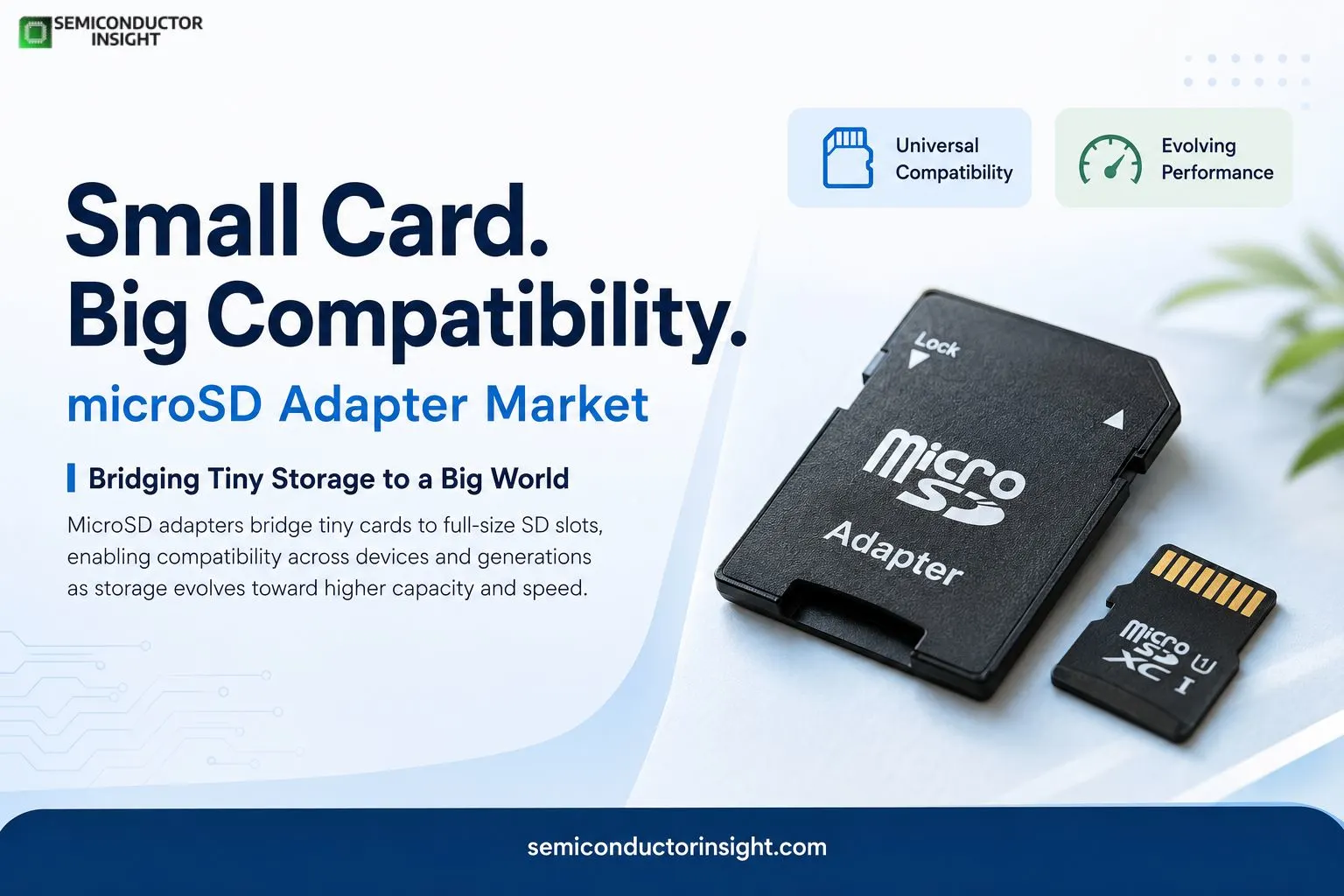
The microSD adapter is one of the simplest components in removable storage, yet it solves a practical compatibility problem that continues to exist across electronics. A microSD card uses a much smaller physical form factor than a conventional full-size SD card. An adapter allows that smaller card to be physically inserted into equipment designed around a full-size SD slot.
The adapter does not turn the microSD card into a higher-capacity storage device or independently increase its transfer speed. Instead, it provides the physical interface required for equipment that accepts the larger SD form factor. That distinction becomes increasingly important as manufacturers introduce different storage buses, speed classes and device-specific requirements.
What is a micro SD adapter used for?
A microSD adapter is primarily used to enable a microSD card to work with devices equipped with a standard SD-card slot. This makes it useful for transferring photographs, videos, software files and other data between compact-storage devices and computers or peripherals.
For example, Nintendo’s official support documentation explains that a computer without a microSD slot may require a card adapter when transferring microSD data.
A typical workflow is:
MicroSD card → microSD-to-SD adapter → SD slot → computer/camera/device → data access
The application range is broader than simple file transfer. Adapters can be useful when a laptop has a full-size SD reader, when a camera workflow involves SD-based equipment, or when users need to move data from compact embedded-storage media to another platform.
The numbers behind the storage hierarchy
- The SD Association’s specifications divide SD-family capacities into clearly defined categories.
- Standard Capacity SD cards extend to 2 GB, SDHC covers capacities above 2 GB through 32 GB, while SDXC extends beyond 32 GB up to 2 TB. SDUC subsequently expands the specification beyond 2 TB and up to 128 TB.
- These numbers matter because an adapter does not automatically make every card compatible with every host device.
- The host’s supported filesystem, capacity range, bus technology and speed requirements still determine whether the storage combination will function correctly.
For additional report info, feel free to view our most recent relevant edition: https://semiconductorinsight.com/report/global-micro-sd-card-adapter-market/
Why the adapter remains relevant in embedded computing?
The continuing use of microSD cards in embedded computing gives adapters a role beyond consumer photography. Raspberry Pi documentation identifies microSD as the most common boot-media format for its computers, although newer models can also boot through USB mass storage, network boot and NVMe storage.
The Raspberry Pi ecosystem also illustrates how removable flash storage can act as an operating-system carrier. Its documentation states that all models since the Raspberry Pi Model B+ have a microSD slot, giving the tiny card a direct role in starting the computer and holding its operating system.
For developers, technicians and makers, an adapter can therefore become a simple bridge between a microSD-based system and a conventional SD-equipped computer.
Gaming is changing the storage conversation
- Portable gaming has become another important example.
- Nintendo Switch supports microSD, microSDHC and microSDXC formats, with supported capacities ranging from up to 2 GB for microSD to 2 TB for microSDXC. Nintendo recommends UHS-I cards and cites transfer speeds of approximately 60-95 MB/s for improved gameplay experience.
- Nintendo’s newer Switch 2 introduces a significant change: the console requires microSD Express cards and supports capacities up to 2 TB.
- That transition demonstrates how portable storage is moving from basic capacity expansion toward higher-performance interfaces.
A speed transition is underway
The SD specification has evolved substantially from the original interface. The SD Association’s technical documentation lists the original default-speed mode at up to 25 MHz and 12.5 MB/s, while subsequent UHS generations introduced substantially higher bus rates. UHS-II, for example, introduced interface modes reaching 1.56 Gbps, 3.12 Gbps and 6.24 Gbps, depending on the host and card configuration.
This evolution changes how adapters are viewed. A passive physical adapter can preserve the card’s electrical pathway, but it cannot magically convert a slower card or host into a faster interface.
The overlooked issue is compatibility
A microSD adapter may look universal, but the complete storage chain is not. A card’s capacity class, speed specification, host interface and formatting requirements all influence performance.
This is particularly relevant when moving between older and newer devices. Nintendo, for instance, warns that Switch 2 supports microSD Express while the original Switch uses conventional microSD storage, demonstrating that physically similar cards can have very different compatibility requirements.
For electronics manufacturers, accessory designers and consumers, this makes specification matching more important than simply choosing the largest available capacity.
Where the microSD adapter fits in the changing storage ecosystem
- MicroSD adapter market sits at an unusual point in the semiconductor and electronics value chain. It is not a memory chip, controller or storage device itself. Instead, it provides a low-cost physical bridge between two form factors.
- As embedded computers, cameras, gaming systems, portable devices and removable-storage workflows continue to use compact flash memory, that bridge remains useful.
- At the same time, the arrival of microSD Express shows that the underlying ecosystem is moving toward faster interfaces and increasingly demanding workloads.
- The result is a small accessory attached to a much larger technology story: shrinking storage hardware, expanding capacity, faster interfaces and a growing need for compatibility across generations of electronic devices.

Comments (0)